AI search ROI calculator: find your payback month before you spend
Use your own numbers. See pipeline, revenue and ROI in three scenarios over 3, 6 and 12 months, with every formula on the page.
Runs in your browser · nothing saved
Your funnel
Your spend
Monthly growth the work adds
Enter the extra growth the work adds. Leave out growth that would happen anyway.
These are placeholders you can edit. They are not benchmarks.
Growth rates are guesses until you measure them. Firemark tracks how often AI names you, run after run.
Move a slider to start
The chart and the formula sheet update as you type. Sample numbers are filled in.
How the AI search ROI calculator works
- 01
Enter your funnel
AI-referred sessions from GA4, your conversion rates and your average deal value.
- 02
Add your spend
Monthly investment in GEO work (people, content, tools) plus any one-off setup cost.
- 03
Compare three scenarios
Pick conservative, expected or strong growth. See pipeline, revenue, ROI and the payback month.
The formulas behind each number
Worked through for the expected scenario with the sample inputs (1,200 sessions, 6% growth a month, 2.5% to lead, 30% to opportunity, 25% win rate, $8,000 deal, 2-month cycle, $4,000 a month plus $6,000 setup).
- Extra AI sessions
sessions today × ((1 + growth)^month − 1), added up over the months7,059, summed over months 1 to 12 - Leads
extra sessions × session-to-lead rate176, summed over months 1 to 12 - Pipeline
leads × lead-to-opportunity rate × deal value$423,514, summed over months 1 to 12 - Revenue
pipeline × win rate, counted after the sales cycle$71,490, summed over months 1 to 12 - Cost
setup cost + monthly investment × months$54,000 at month 12 - ROI
(cumulative revenue − cumulative cost) ÷ cumulative cost+32% at month 12 - Payback month
first month where cumulative revenue ≥ cumulative costmonth 11
What conservative, expected and strong mean
Each scenario is a monthly growth rate that you choose: the growth the work adds to AI-referred sessions, leaving out growth that would happen anyway. These are placeholders you can edit. They are not benchmarks. Replace them with growth you have seen in comparable channels.
Scenario
Conservative · 3% a month
Slow, steady gains. Useful as the case to defend in a budget meeting.
Scenario
Expected · 6% a month
The case you plan around. Change it to match what you believe.
Scenario
Strong · 10% a month
What happens if the work lands well. Treat it as the upside.
Where to find your inputs
GA4
AI-referred sessions
From GA4, with an AI assistants channel. The GA4 AI traffic report builder makes the regex in a minute.
CRM
Conversion rates and cycle
From your CRM: leads from web sessions, opportunities from leads, wins from opportunities, and the months from first visit to close.
Finance
Deal value and spend
First-year contract value from finance. Spend is your retainer, writer hours and tools.
How to make GEO ROI measurable
The calculator gives you a plan. Three habits turn it into a record you can show. See how often AI names you →
- 01
Track AI sessions monthly
Keep the GA4 AI channel and note the number each month next to the model's growth rate.
- 02
Track how often AI names you
Clicks are the visible part. Count the answers that name you, run after run.
- 03
Ask new leads
Add a "How did you hear about us?" field and tie the answers to pipeline.
What this model can and cannot tell you
Clicks only
The model counts visits that clicked through. Being named without a click adds value it leaves out.
Your assumptions
Growth rates drive the result. Change them and watch the payback month move.
Nothing saved
The numbers stay in this browser tab. Close it and they are gone.
Measure the assumption
Your model assumes AI names you more each month. Measure it.
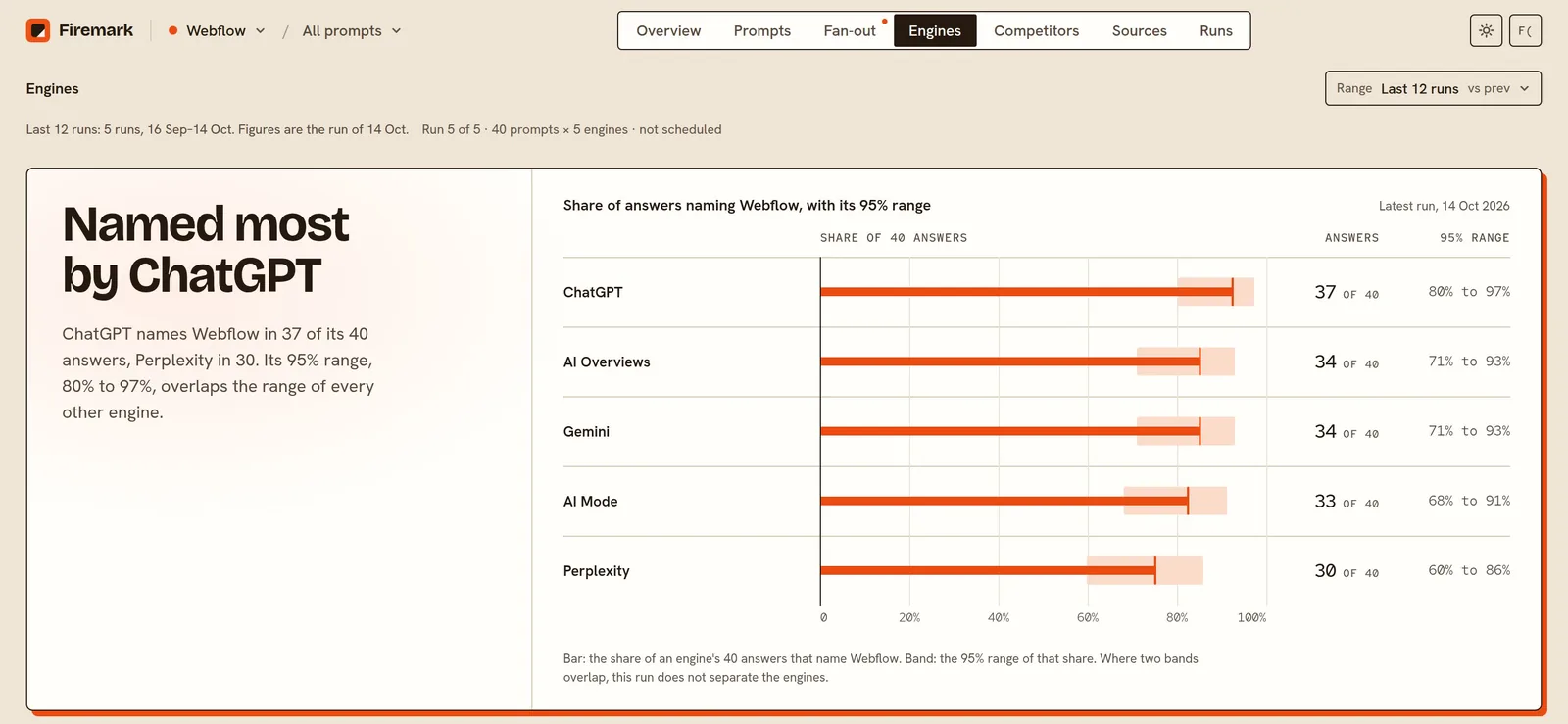
Firemark asks your buyer questions on up to five engines on a schedule, counts the answers that name you and the ones that name a competitor, and keeps every answer for 13 months.
- 25 to 500 prompts, depending on plan
- Up to five engines: ChatGPT, Perplexity, Gemini, AI Overviews and AI Mode
- Daily, weekly or monthly runs against 1 to 10 competitors
- Every answer kept for 13 months
Questions people ask
How do you calculate AI search ROI?
Model the extra AI-referred sessions the work brings, turn them into leads, pipeline and revenue with your own conversion rates, then compare revenue with what you spend. ROI is revenue minus cost, divided by cost.
What is a good ROI for GEO?
Firemark publishes no benchmark. Compare the result with your other channels' ROI over the same window, using the same rules for cost and revenue.
How long does GEO take to pay back?
It depends on your numbers. The calculator shows the payback month for each scenario. Three inputs shape it: how fast AI sessions grow, the sales cycle (revenue arrives that many months after the visit) and what you spend.
Where do I find my AI-referred sessions?
In GA4, look at sessions whose source is an AI assistant, such as chatgpt.com, perplexity.ai or gemini.google.com. Add up a recent month and enter that number.
What if I have no AI traffic yet?
Switch to the estimate mode. It multiplies your organic sessions by an AI share that you choose. Treat the share as a guess and try a few values.
Does the calculator count AI answers that send no click?
No. It counts clicks only, so it understates the value of being named.
Is anything I type saved or sent?
No. The numbers stay in your browser. The Copy link button puts them in the part of the address after the # sign, which browsers do not send to any server.
Related free tools
Find out if AI recommends you
Start tracking your brand. New accounts get one free run.